Apbooking Module Userguide
A standard module with full features for booking in just minutes. Full option, flexible and friendly interface .
- Created: 15/3/2017
- Email: leotheme@gmail.com
First of all, we would like the thank you for using our work.
Leotheme - a website where you can find the best Prestashop theme and Extensions as well. We are proud of our professional themes, extensions. With years of experience working on Opensource, we have created number of great extensions for Prestashop like: Apollo Prestashop Framework, Apollo Prestashop Megamenu Module ...
Leotheme is also famous for custom work, if you have trouble or help with your website, coding, .... you can find us on apollotheme.com then we will support you or give you suggestions.
What is Leo Ap Booking Module
A fully-featured module for booking.
Fully flexible, smart and friendly configuration.
Easy-to-use and user-friendly search with full configuration.
A Smart combination between Prestashop products and booking makes it easy for you to manage rooms, services and process orders.
With smart management method, you can easily search and manage orders dailly, monthly and annually.
Download and Install
Download
Leo Product Search has been realeased, after buying this module you can download it at our official site leotheme.com or at other market as Prestashop Addon, Themeforest. In addition, Ap Page Builder is integrated in our prestashop themes. So you can buy our themes and experience the powerful Apollo Page Builder Module.
Install
You can install our modules as other modules extremely easily and quickly. After you buy the module, we will give you FREE installation and quick support if there are problems. Also we integrate the features installed demo data so you can quickly build sites. With powerful features but installation process is quite fast and easy. If customer faces with any problems please contact us. We will always beside you.
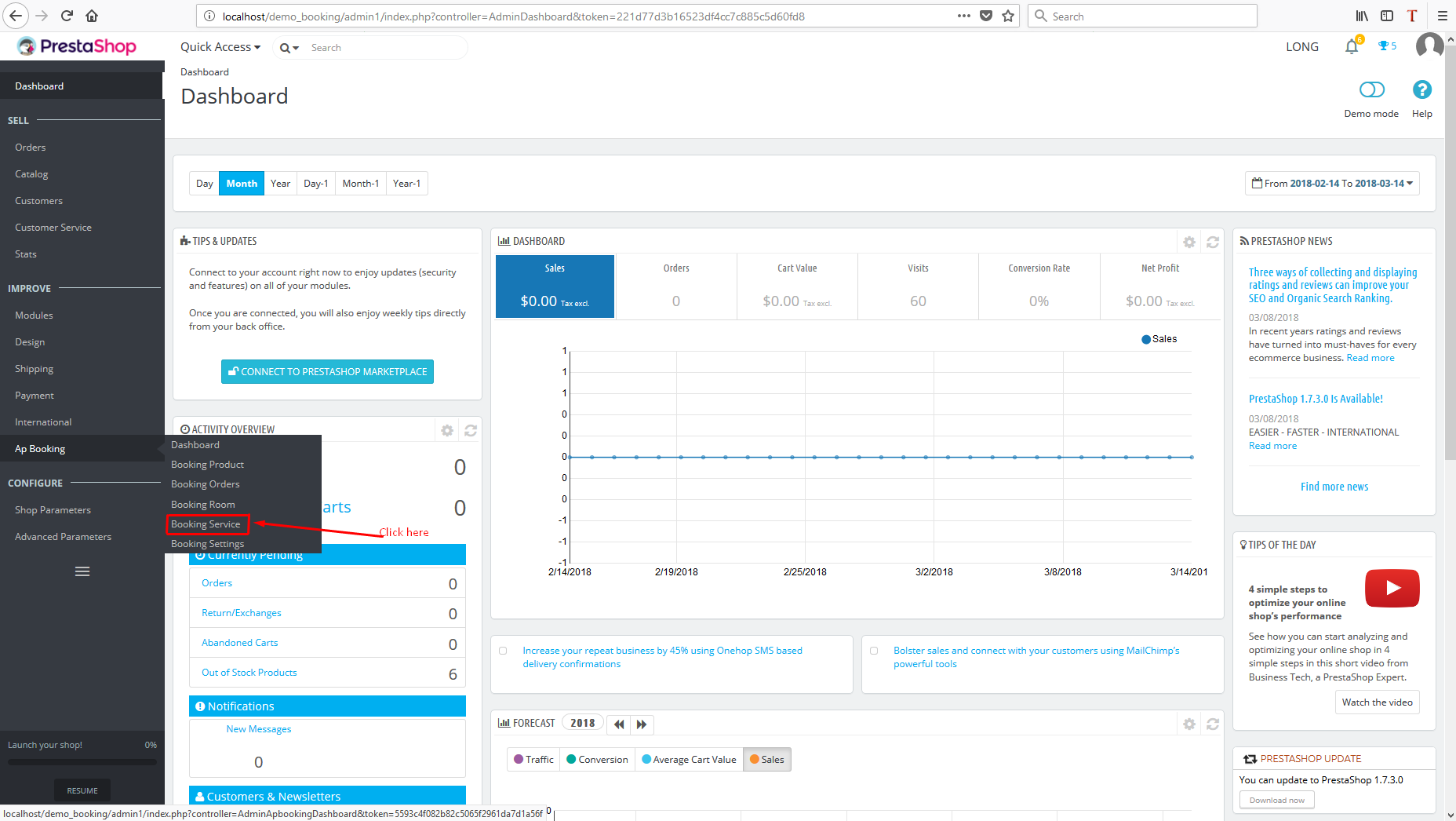
After installing module module tabs will show up here
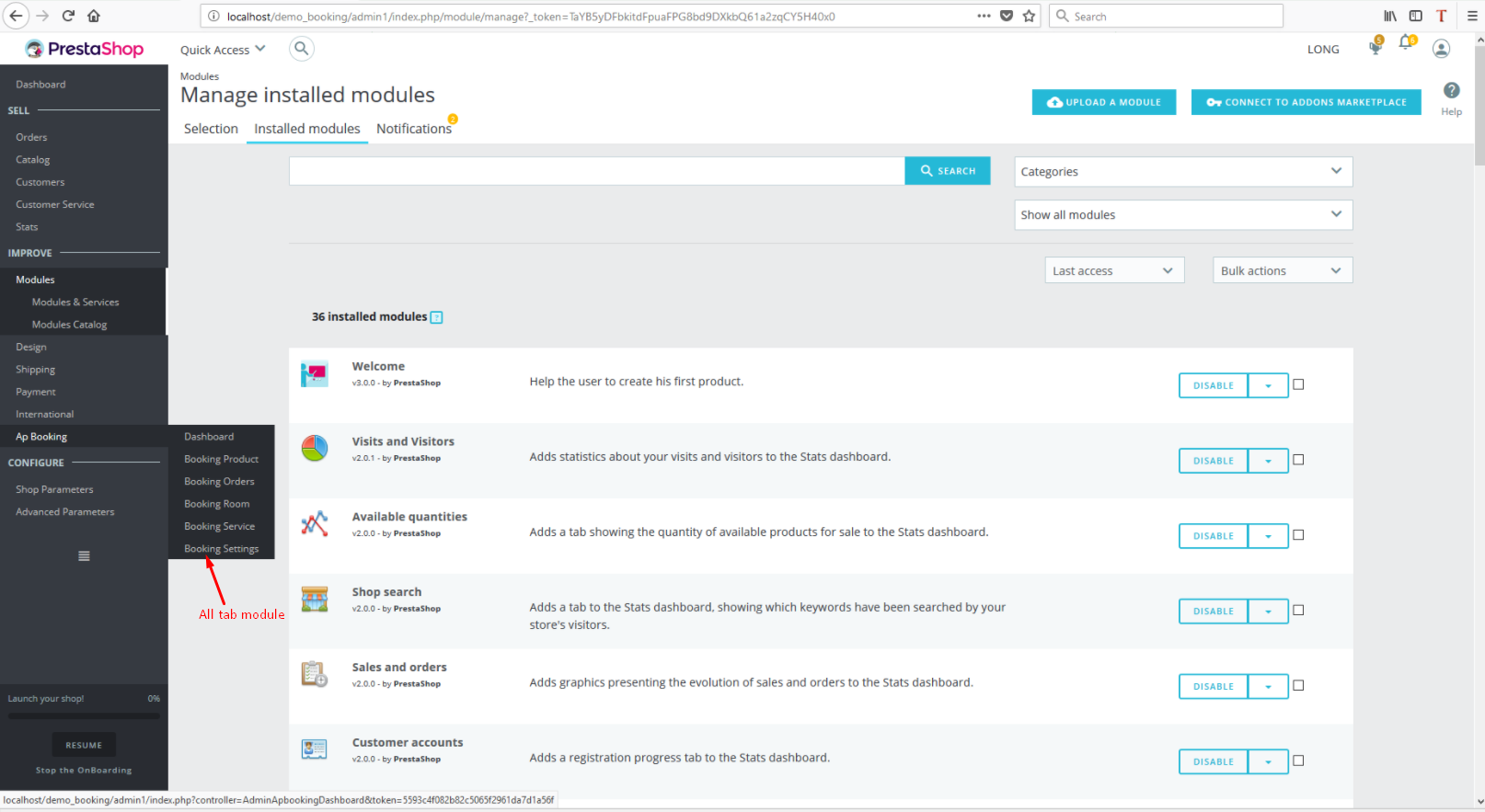
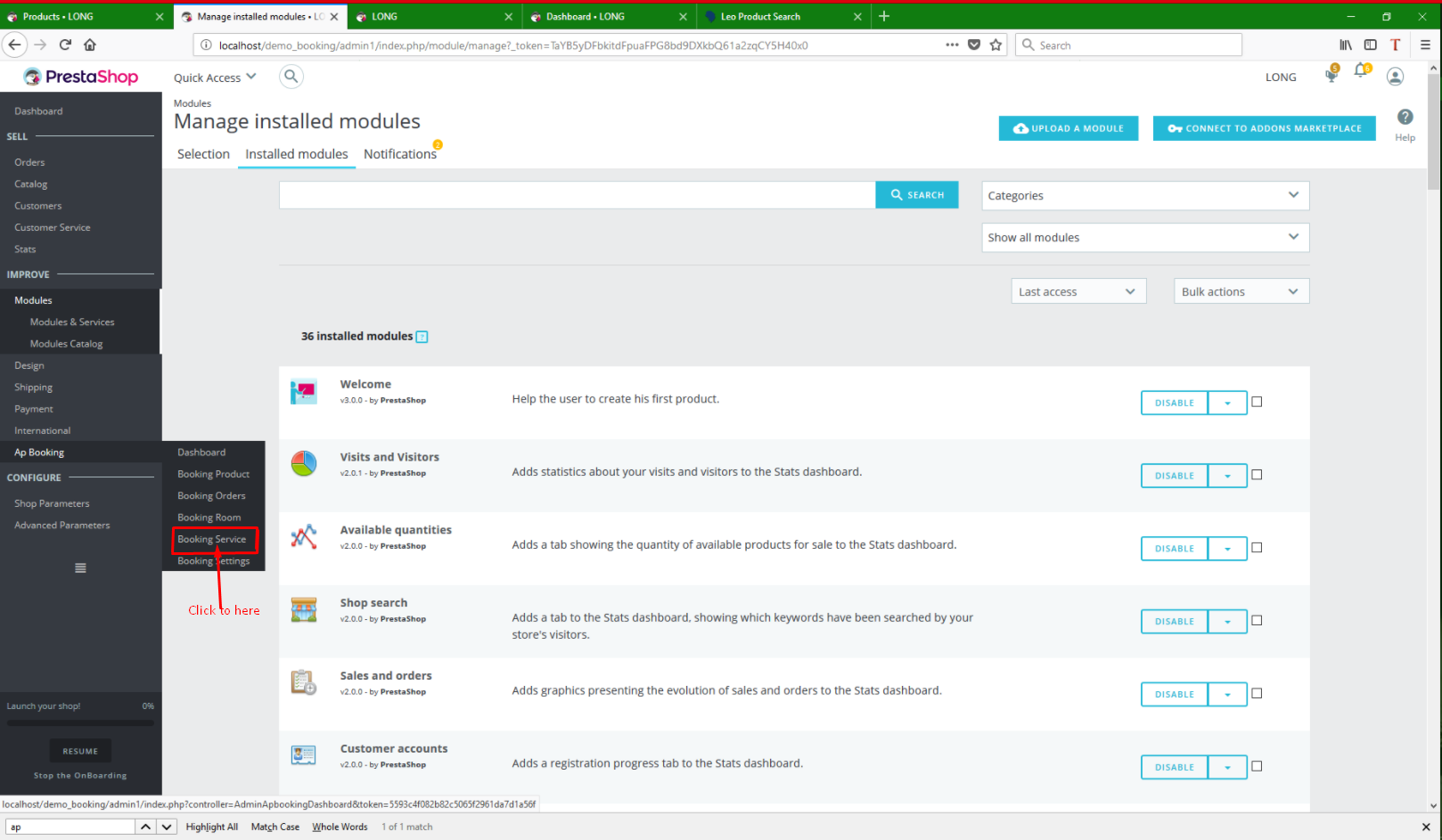
Booking Service
Select Booking Service tab to transfer to additional service layout
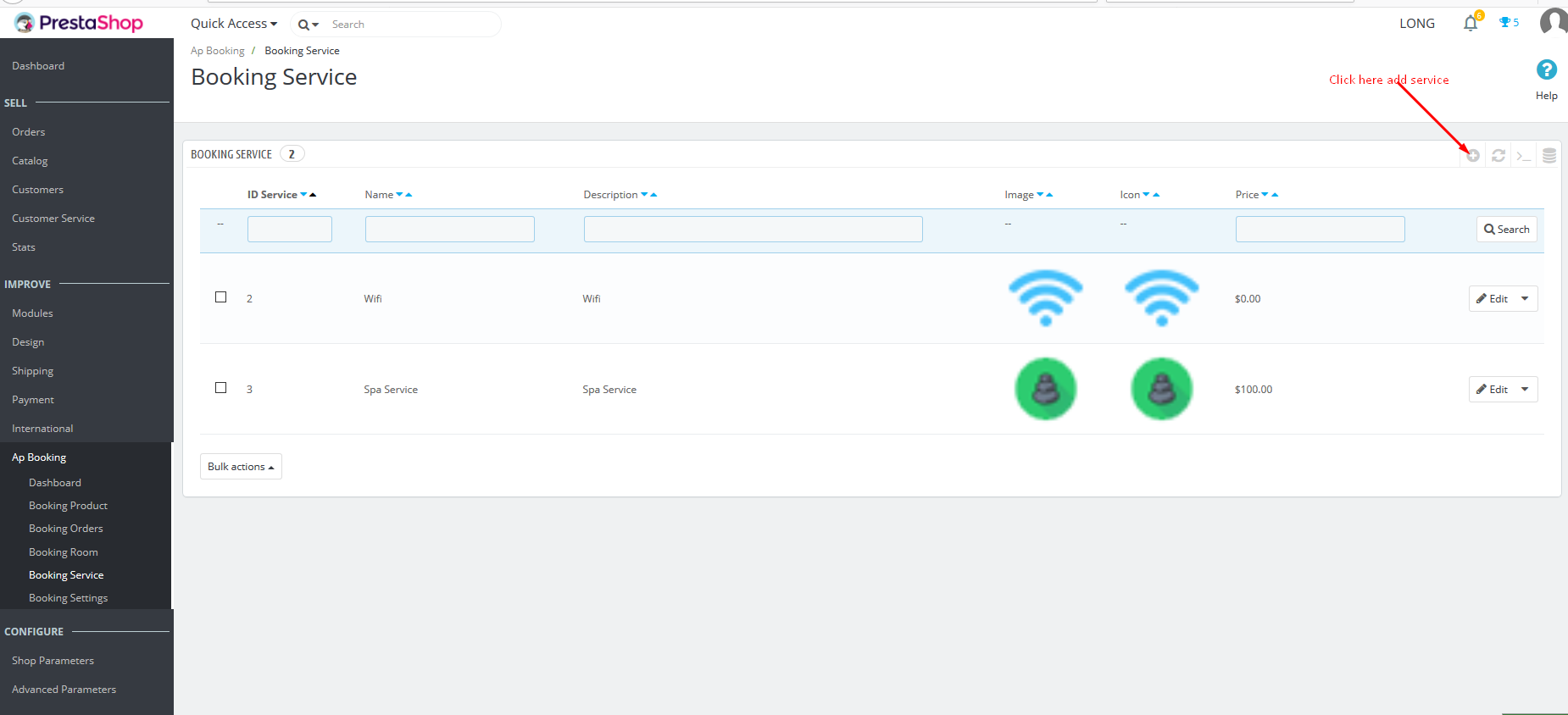
Next, select Add to add services
Fully fill in service information, Except for Price, if it is free service, price is 0, if it is charged service, fill in price of that service
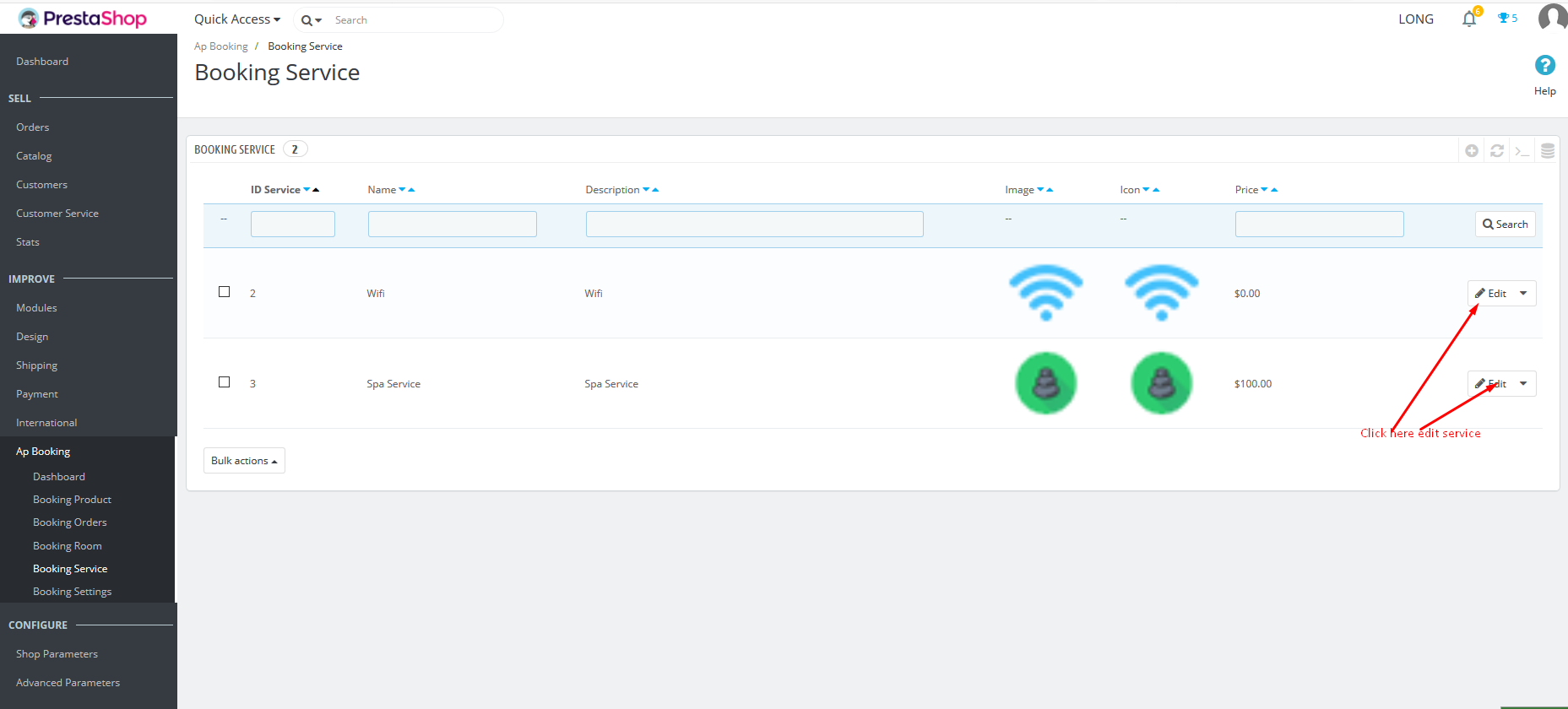
To edit any service, select edit
Add Room Type
Select Product tab and then select new product
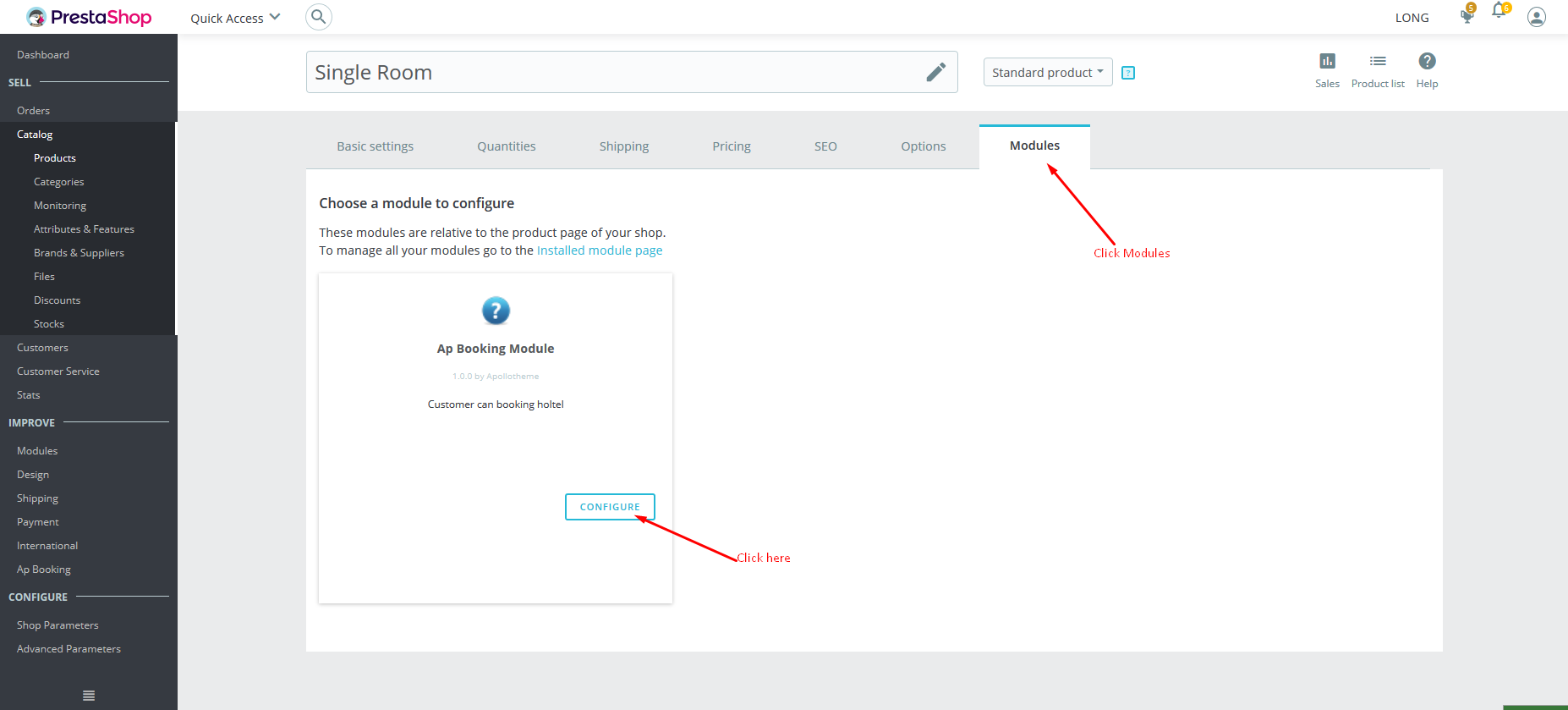
After completion, select product, select module->configure
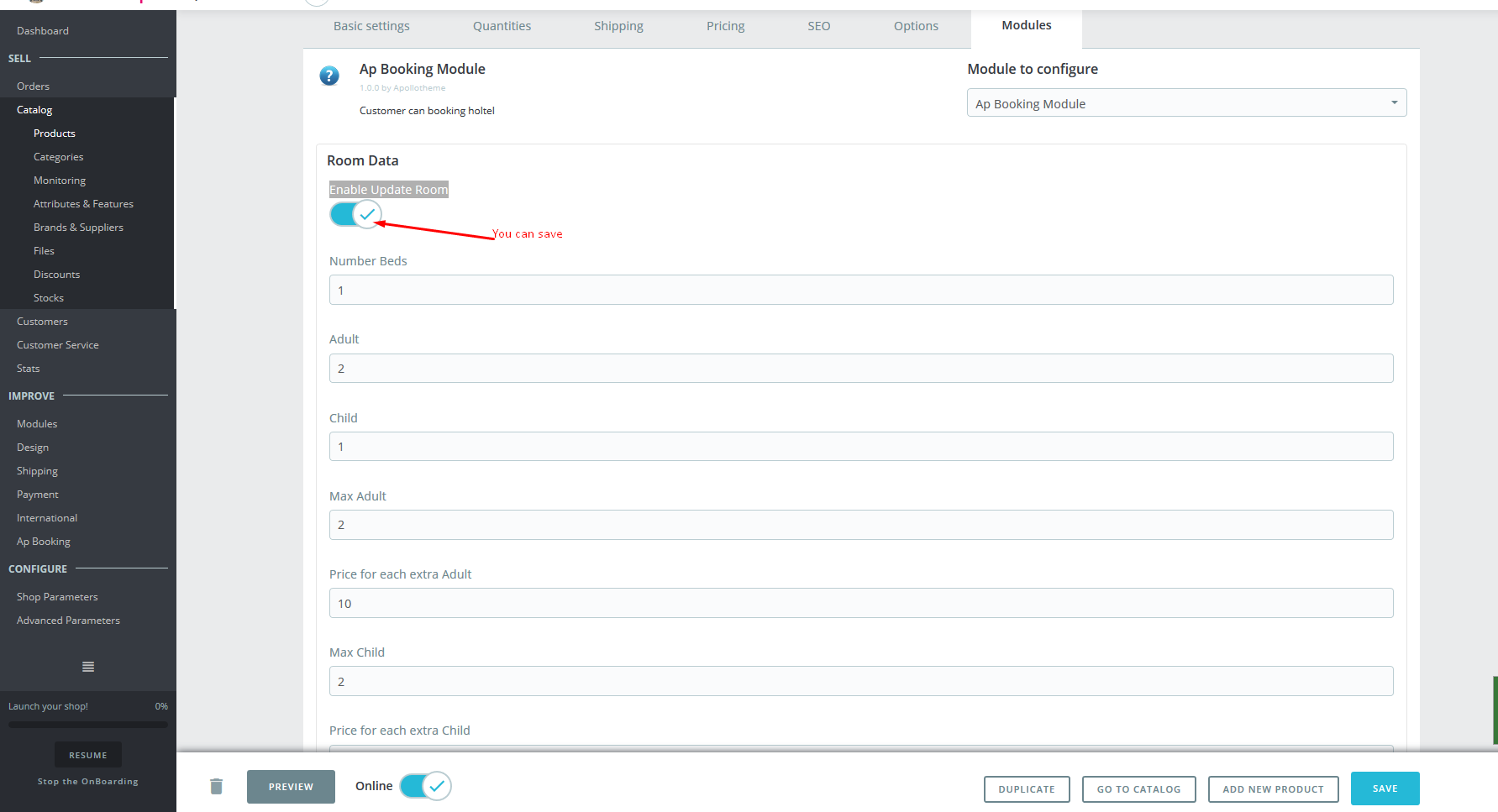
Next, click button Enable Update Room. when button become clean, it is possible to save all establised information in this tab
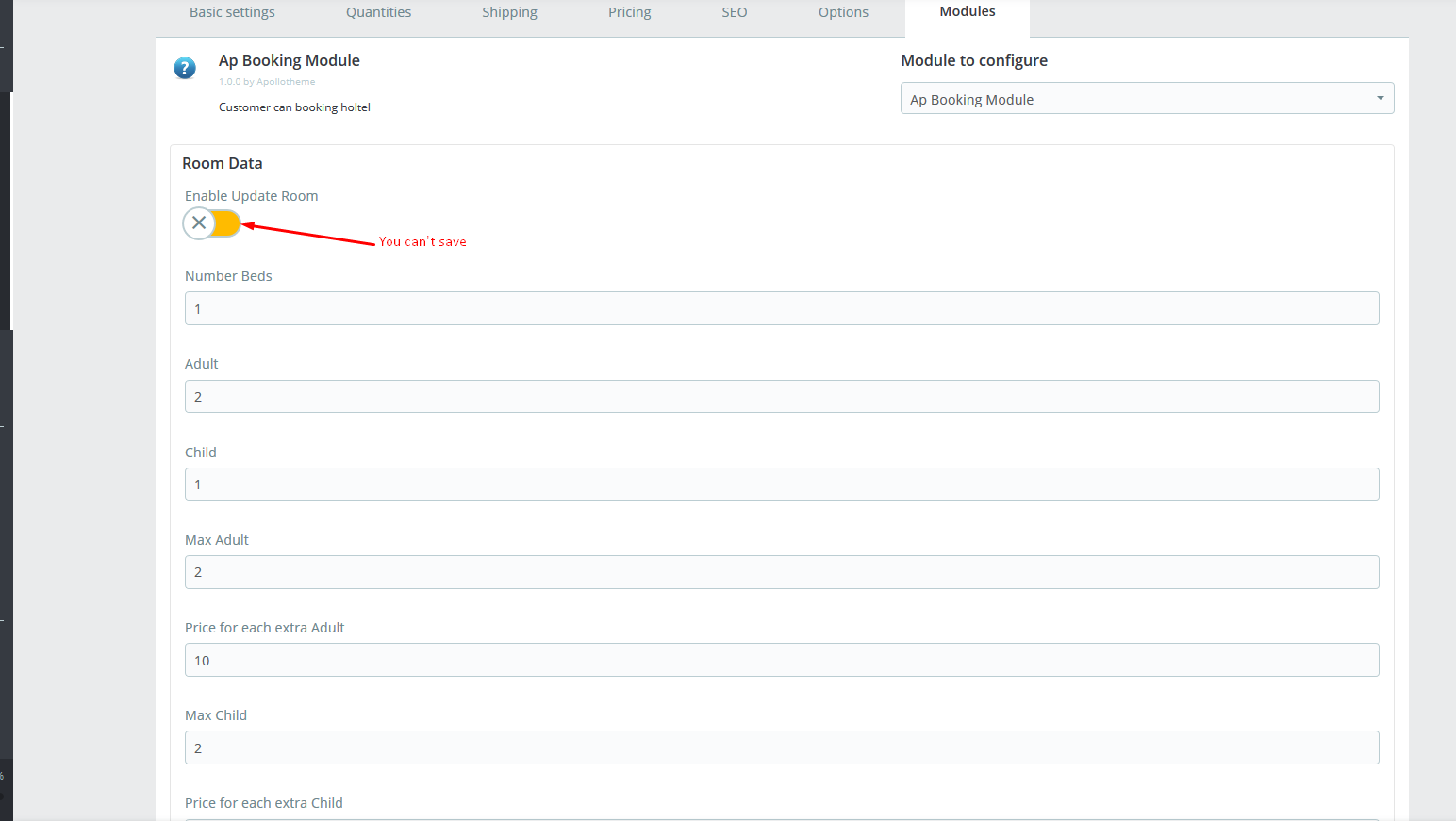
It is impossible to save if button like this and you have turn on
Click create new room to add rooms for this room type
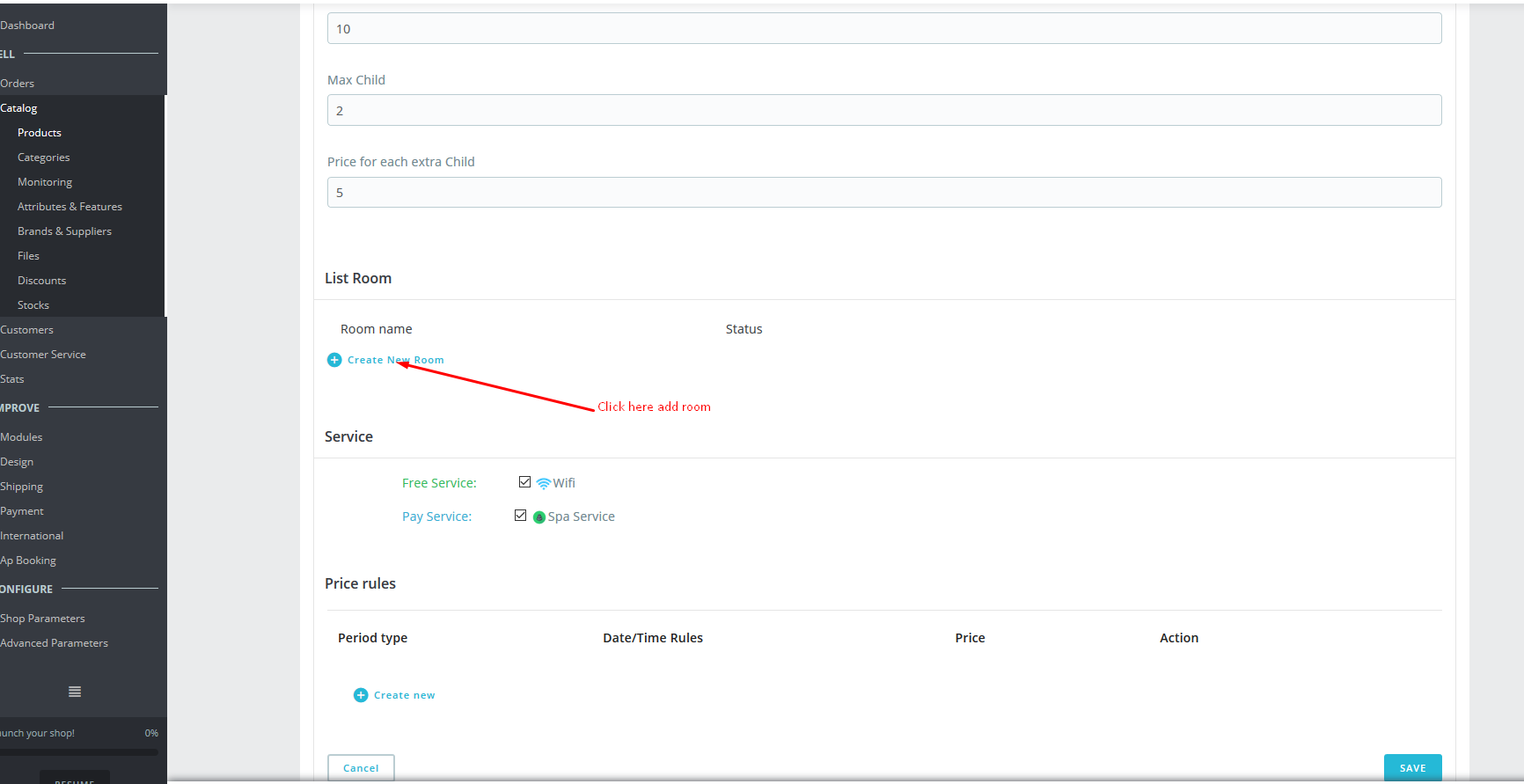
In Price rules, click create new to create time period, in which price of this room type will be changed
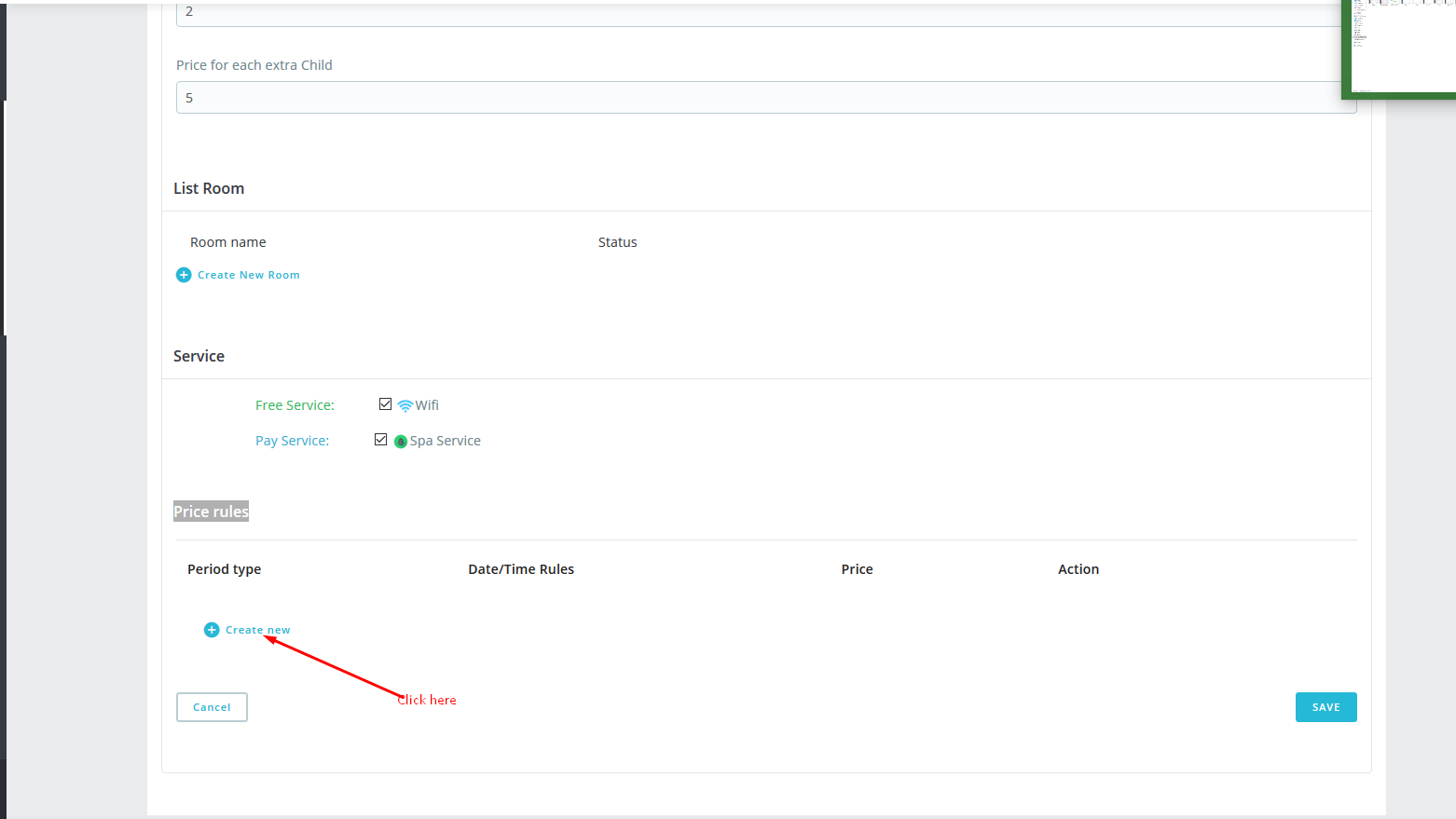
Select save to save information
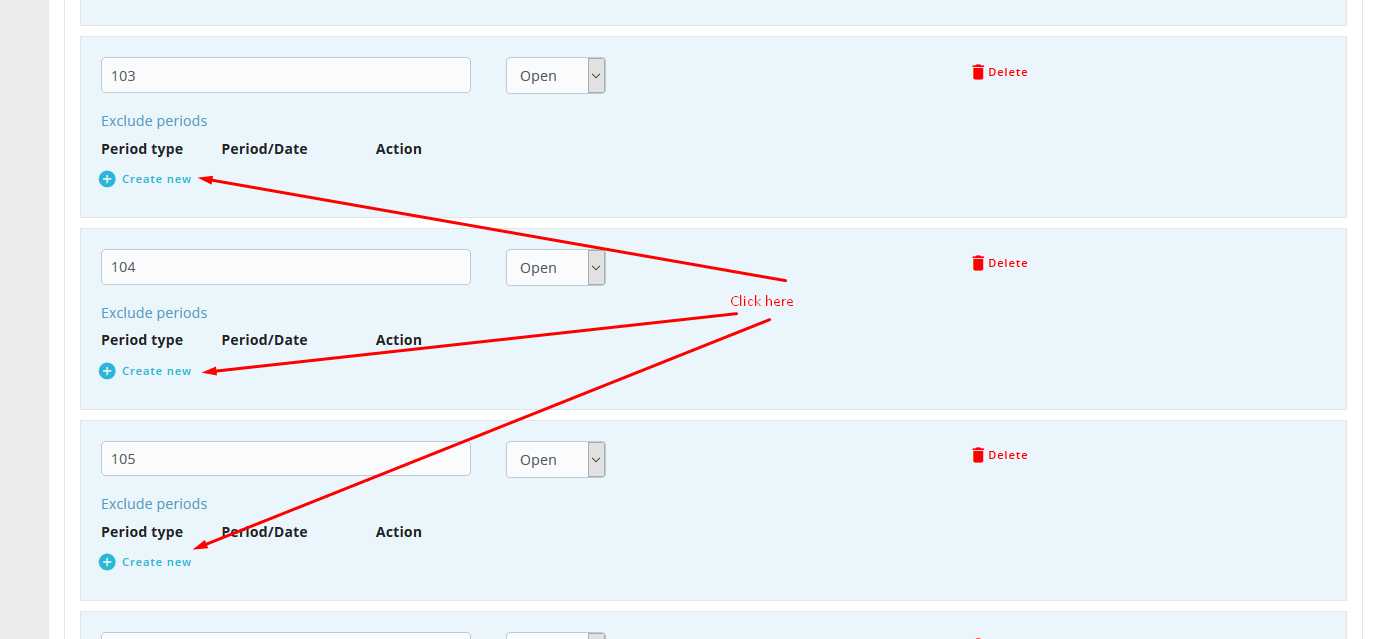
to stop booking for any room type, select Create new and then set up time
Setting Modules
Seclect Booking Service tab to transfer to settings
Set up number of booking days in comparison with current period at Available Period
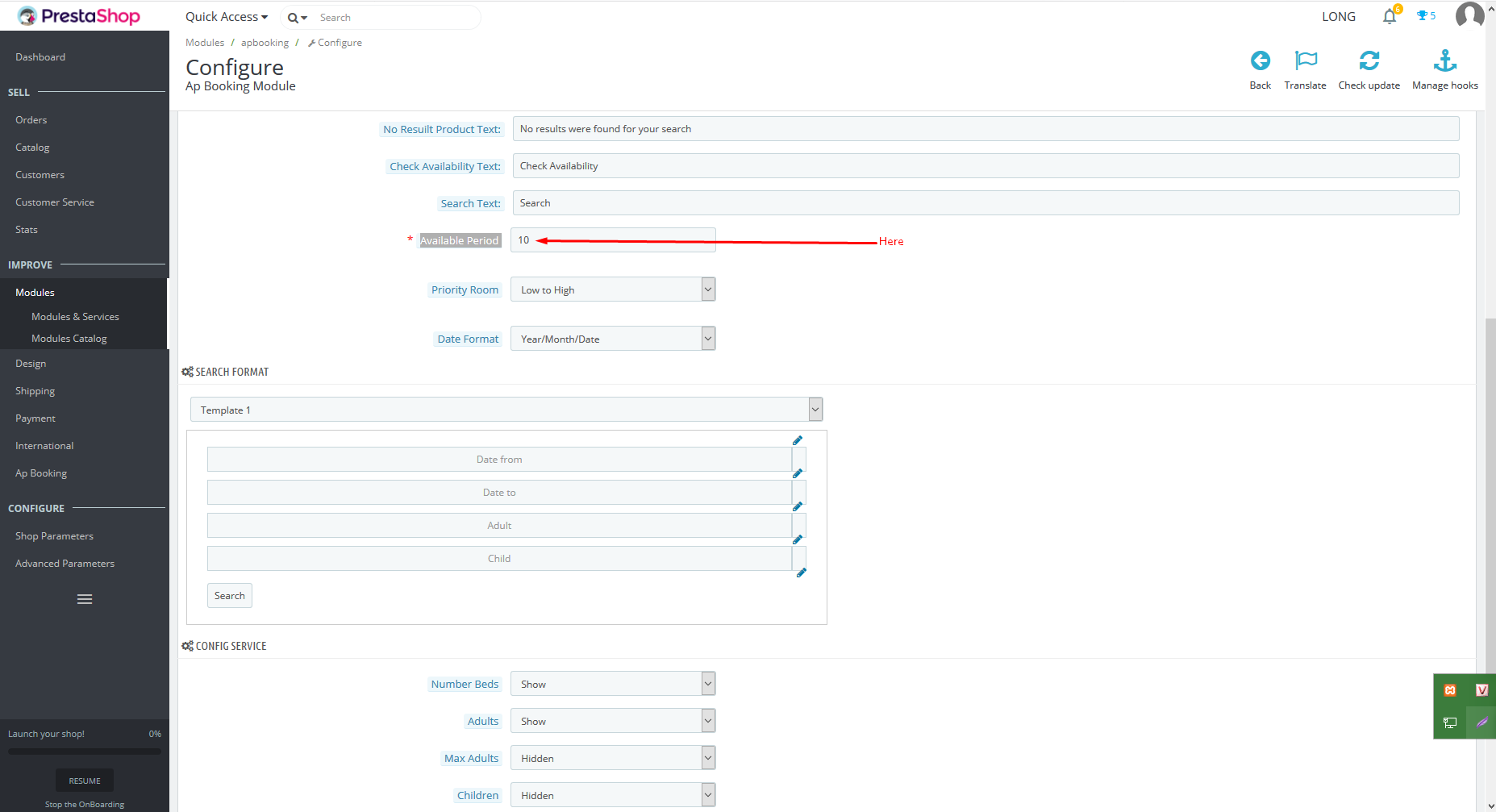
Set up booking priority order
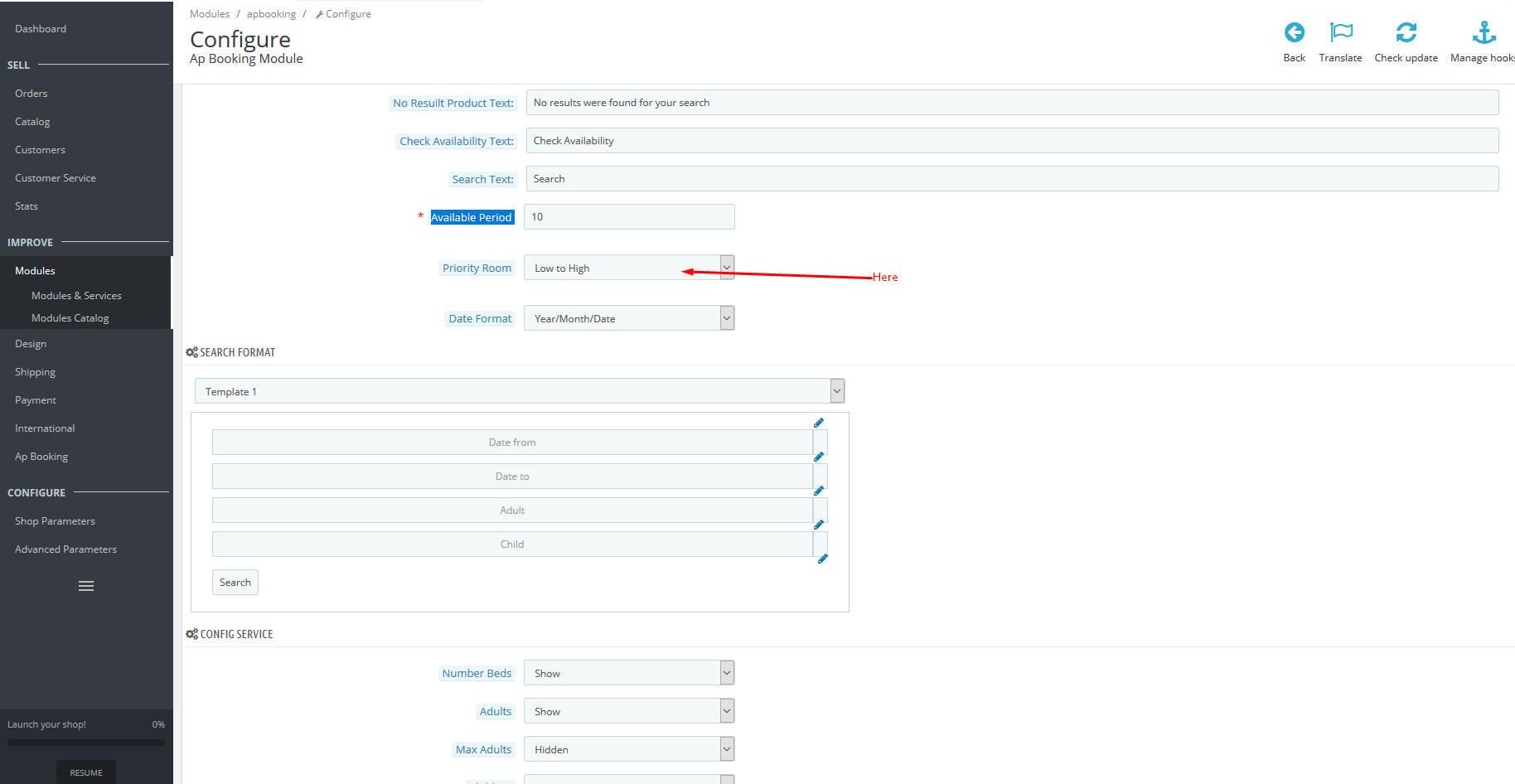
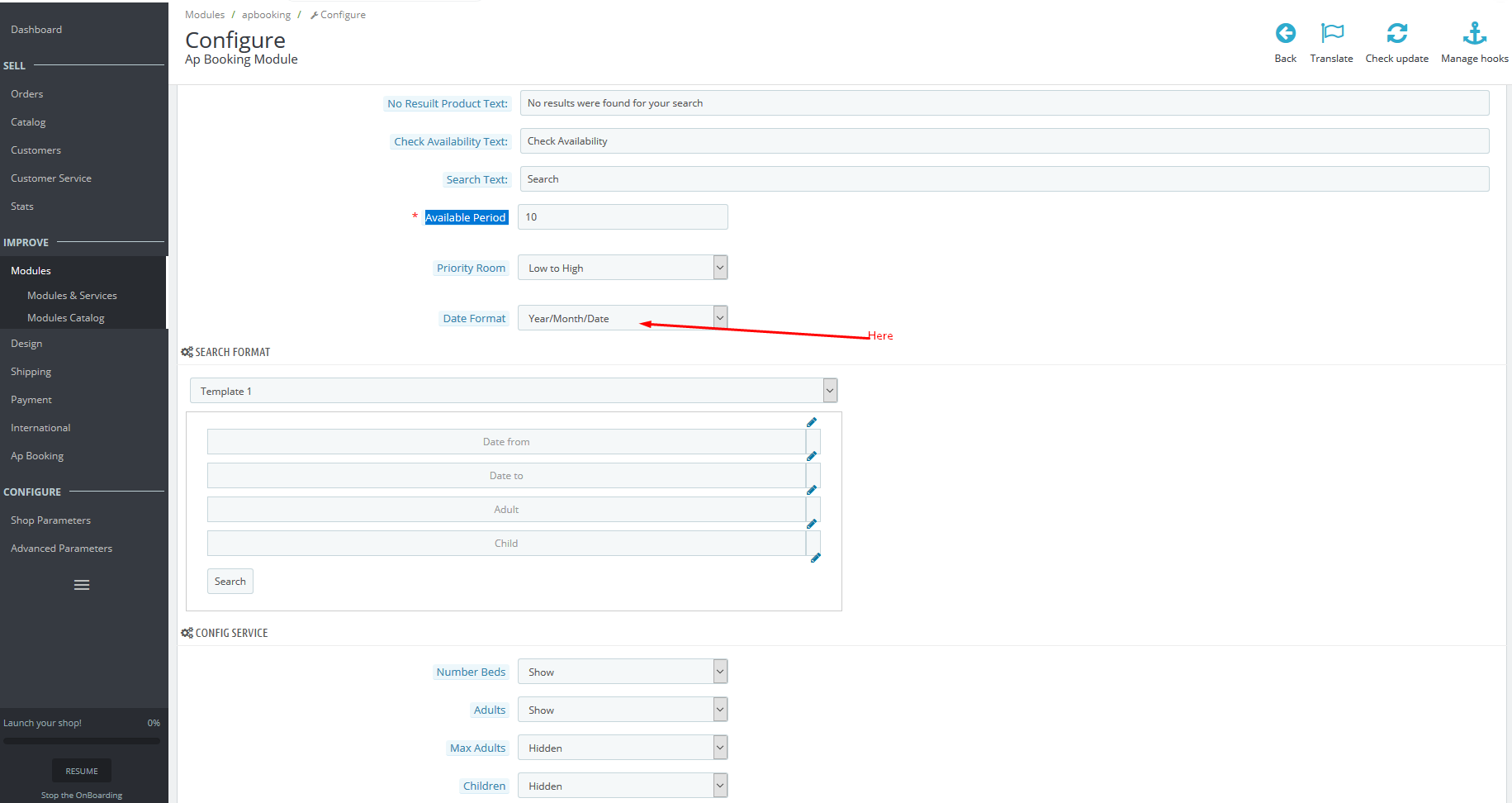
Set up date time format
To use default template search
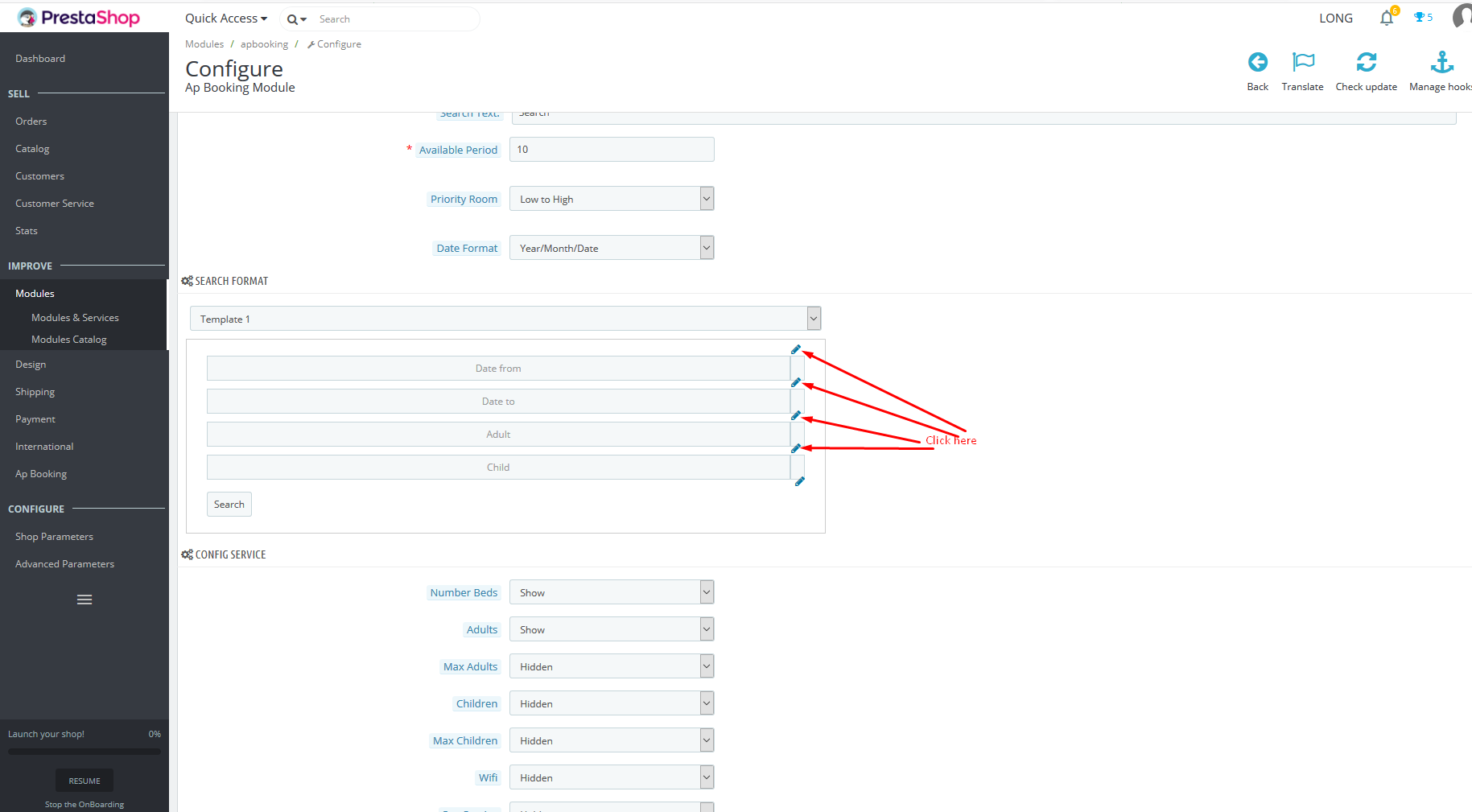
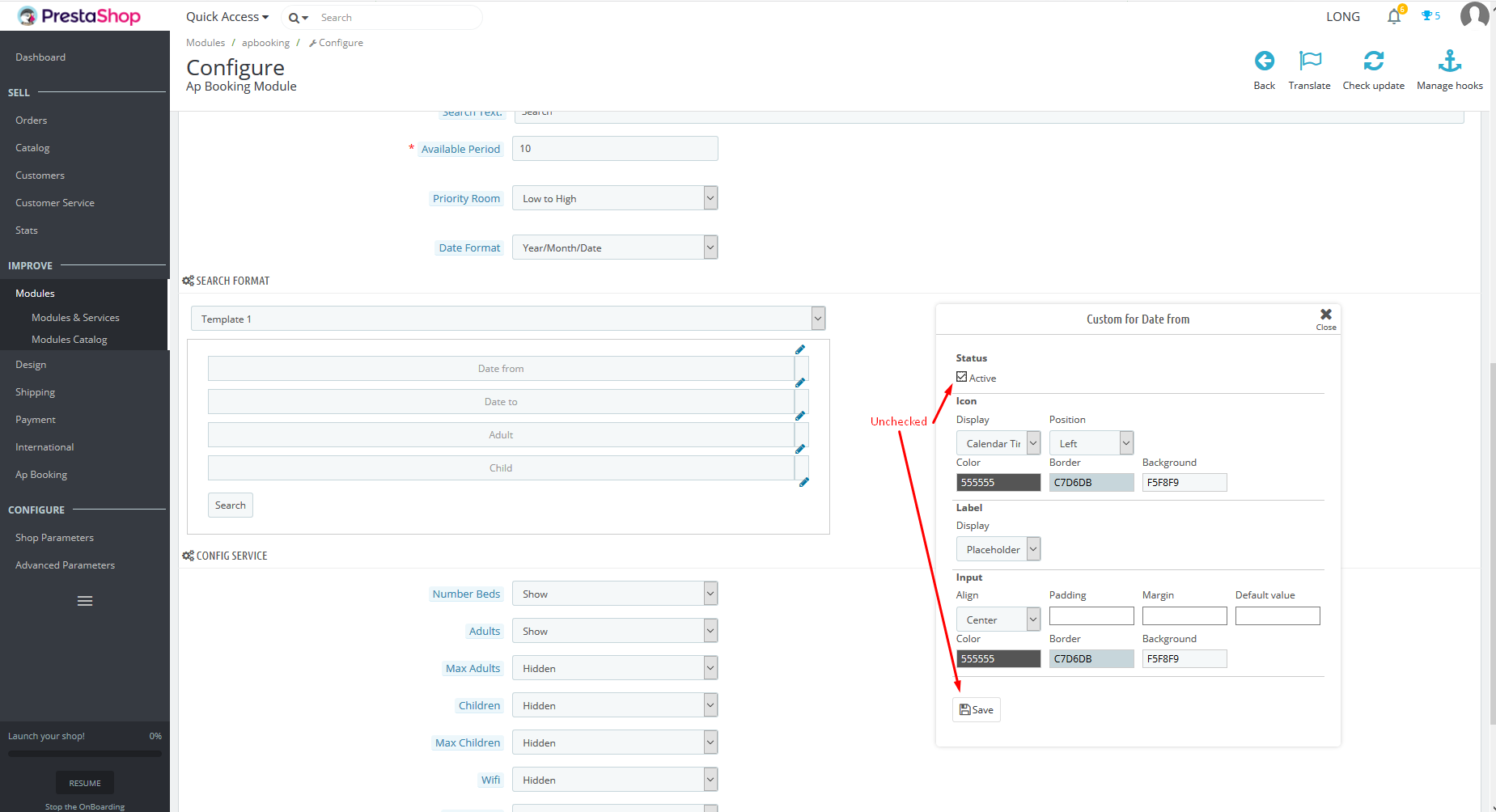
Set up to show and hide extra services for each kind of room in the front end
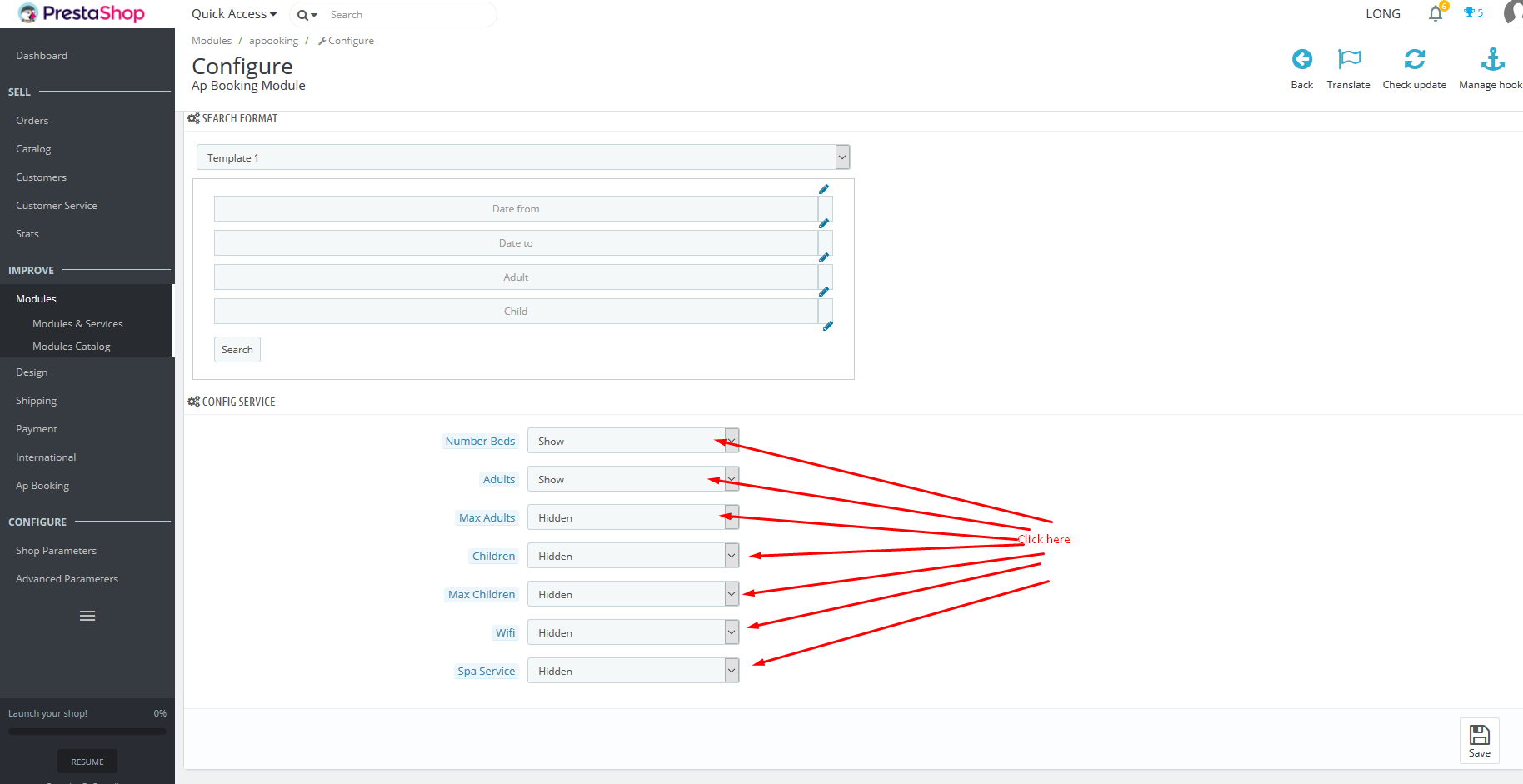
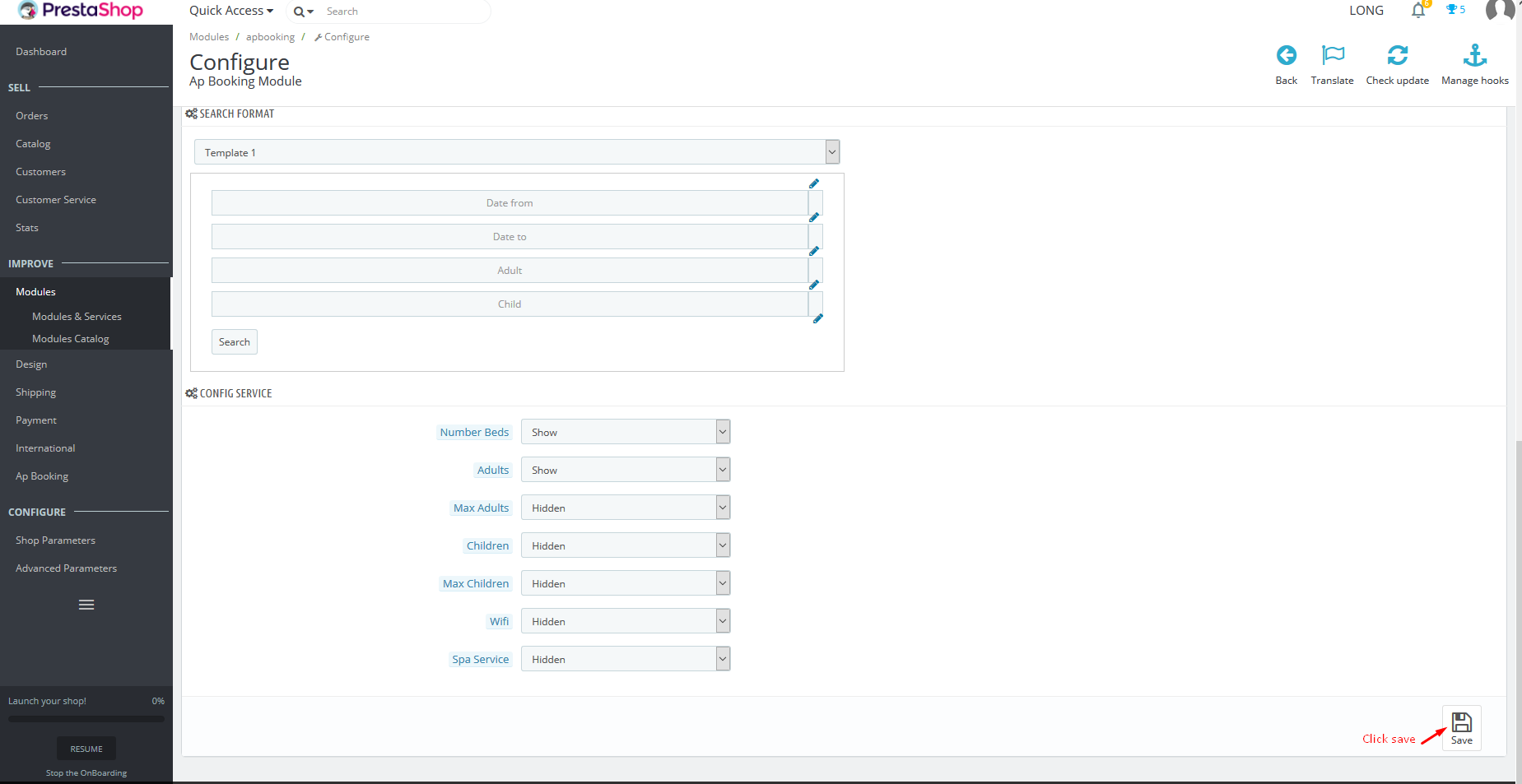
After complete setting, click save
Other Tabs
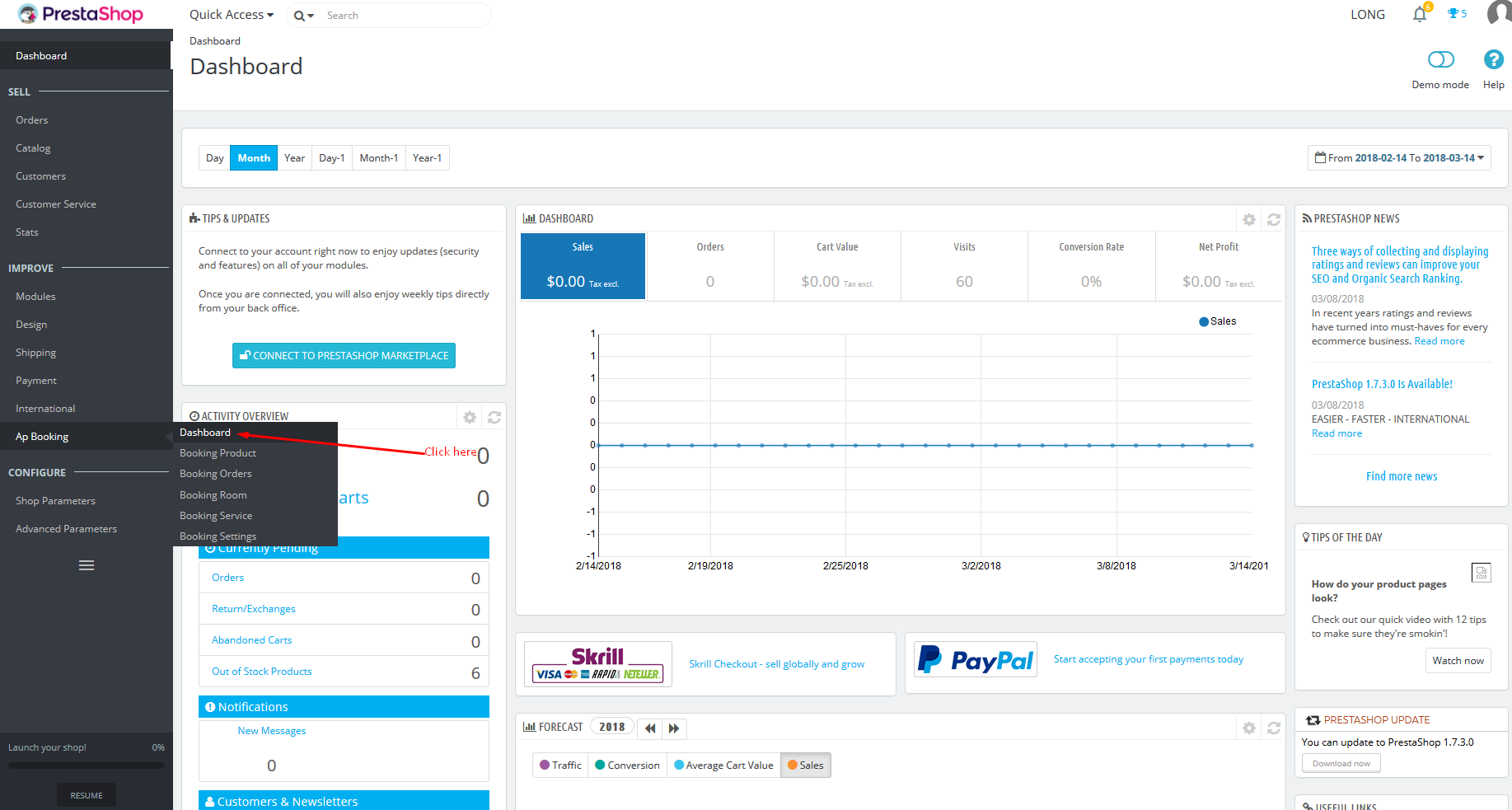
to manage list of vacant, select Ap booking/Dashboard
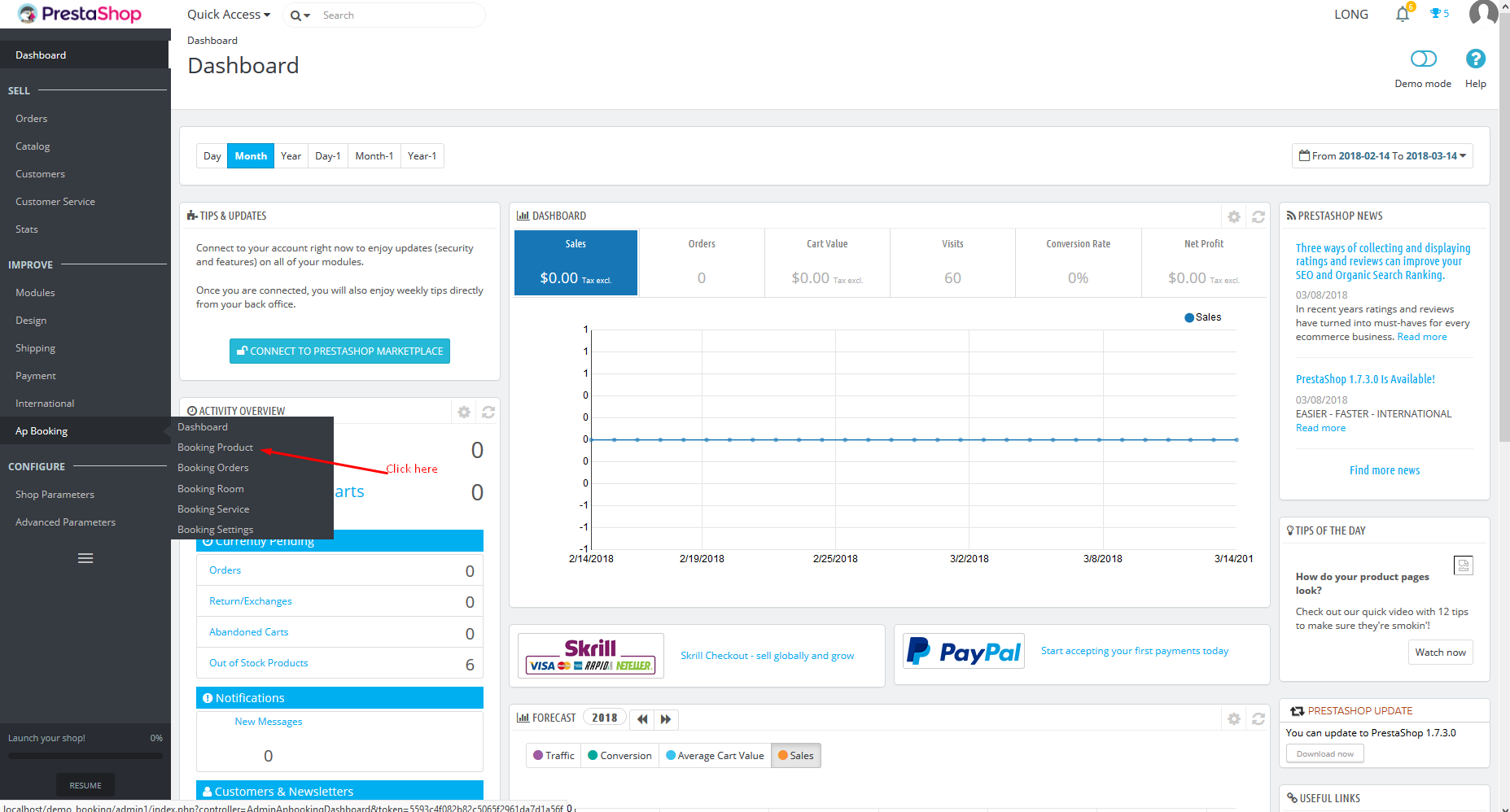
to manage list of room kinds, select Booking product
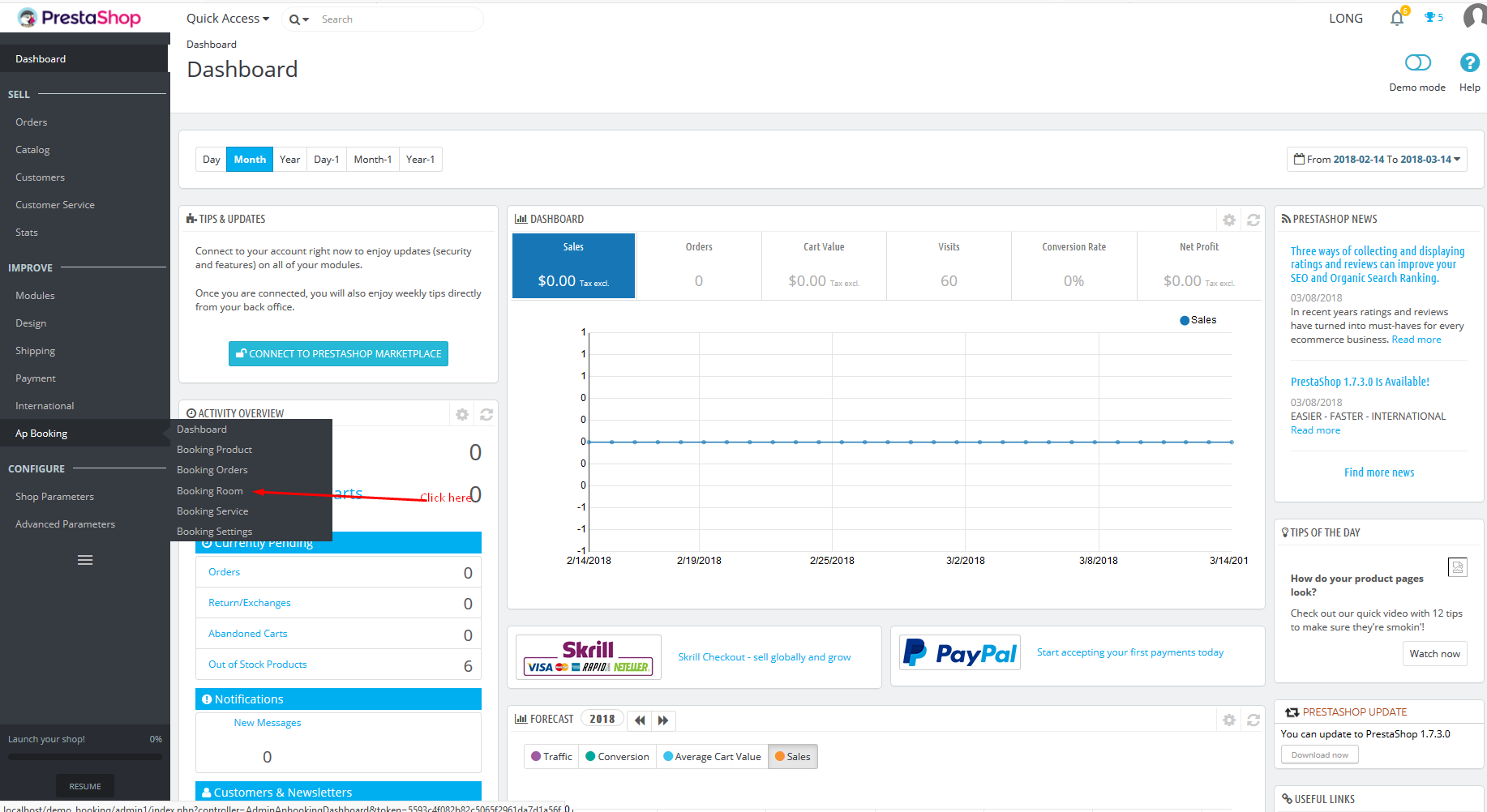
to manage list of all rooms, select Booking Room
Supported responsive layouts
The supported responsive layouts includes: default, large, medium, small, extra small and mobile. Select the layout you want to configure.
Default Screen, Medium Screen, Mobile Screen
Information
Thank you for reading!
We hope you can create the best website with our themes.
- Contact us
- Email: leotheme@gmail.com
- Skype Support: trandinhnghiait
- YouTube